
Gold and silver are tricky to photograph. They shine, they reflect everything around them and a scratch suddenly looks much bigger in a photo. Still, you don’t need an expensive camera for beautiful photos. Our own photos in the articles on this website were taken with an iPhone 16 Pro Max, in daylight on the windowsill or under a good lamp. Here is how.
Two kinds of photos
First decide what the photo is for.
- A record photo shows exactly what you have: the front and back, straight from above, on a plain background. You use it in your overview, for your insurance or as proof of condition at purchase.
- A styled photo shows how beautiful something is. A background, a flower or a stone can be part of it. You use it for your album, for a sales listing or simply because it looks good.
For both: good light matters most.
Light: daylight
The best light for metal is soft daylight. Set up on the windowsill or right next to a window, but not in full sun. Direct sunlight gives harsh shadows and bright hot spots. A north-facing window or an overcast day works best.
- Sun coming in anyway? Hang a white sheet or a sheet of white baking paper in front of the window. It spreads the light.
- Shadow side too dark? Stand a white sheet of paper or a piece of white card upright on that side. It bounces light back.
- Switch off the lights in the room. Mixed light gives odd colours: yellow from the lamp, blue from the window.
Light: a good lamp
In the evening or in winter, a good lamp works too. Choose a lamp with a daylight colour (around 5000 to 5600 kelvin) and high colour rendering (CRI 90 or higher). Then gold also looks like gold in the photo.
Place the lamp at an angle from above, not straight over the piece, and not too close. A piece of baking paper in front of the lamp softens the light. Never use your phone’s flash: it puts a white spot right in the middle of the coin.
The background: natural and calm
A beautiful background really brings out gold, silver or a piece of jewellery. Natural materials work well, because they are calm and give a warm feel:
- Wood, such as an old plank or a chopping board with a nice grain
- Slate or a smooth stone, lovely with silver.
- Linen or a soft cloth in a plain colour
- Flowers, leaves and moss, for example a ring on a petal or a coin between a few leaves
- Shells, twigs and pebbles, for a necklace draped over them
A few rules of thumb for colour: gold looks great on dark, warm and green tones. Silver suits cool colours such as grey, blue and slate. Stick to one or two extra elements, or the subject gets lost.
Watch out for moisture. Don’t leave silver on fresh moss or wet flowers for long, and don’t put a coin without a capsule on a hard surface or on fabric containing rubber or wool. Those can make silver tarnish faster. Take the photo, then put the piece away again. You can read how to hold coins and bars without damaging them in Handling coins and bars without a seal.
Tip: For AgAurium, take a straight photo of the front and back of each item on a plain background. Keep the styled photos for your album or for when you want to sell something. Try AgAurium for free →
The settings on your phone
- Clean the lens. A greasy finger on the lens puts a haze over the whole photo.
- Don’t zoom digitally. If your phone has a telephoto lens (2x, 3x or 5x, for example), use it and step back a little. A round coin then doesn’t look bulging or skewed. Without a telephoto lens, shoot from a little further away and crop the photo afterwards.
- Use macro for details. Many phones have a macro mode for very close shots, such as a hallmark or a year. Some switch to it automatically when you get close; you then often see a small flower icon.
- Tap the subject to focus, then make the photo a little darker with the brightness slider. Metal quickly turns out too bright. On many phones you lock focus and exposure by pressing and holding on the screen or by tapping a lock icon.
- Turn on the grid lines in your camera app’s settings. That helps you hold your phone straight above the coin.
- Keep your phone still. Lean on the windowsill or use the self-timer.
- Use portrait mode for a styled photo with a soft, blurred background.
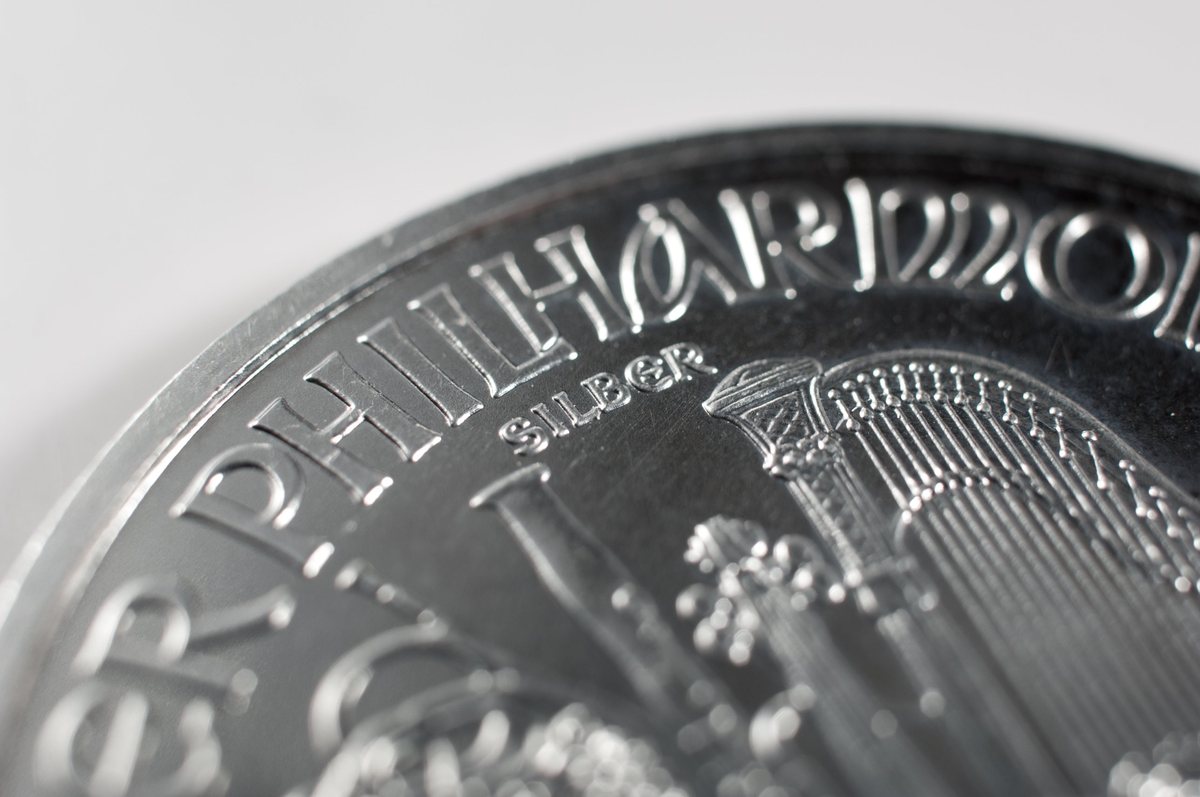
For a record photo, the normal photo mode is best. Turn off filters and moving photos for it (Live Photos on an iPhone, motion photos on many Android phones).
Shine, capsules and reflections
- Can you see yourself or your phone in the coin? Tilt the phone a little, or shoot from a bit further away with the telephoto lens.
- A capsule reflects light. Turn the coin in its capsule until the reflection falls beside the subject. Don’t take a coin out of sealed packaging just for a photo.
- Proof coins with a mirror-like field look black in a photo. Hold a white sheet of paper at an angle above them and the field reflects white.
- Wear gloves and hold everything by the edge. A fingerprint on silver shows up straight away in a close-up.
After taking the photo
Crop the photo until the piece almost fills the frame, and straighten it. You can adjust the colours and light a little, but don’t make the coin look better than it is. Especially when selling, a buyer must be able to see what they are getting.
Sharing your photos online? Turn off location. A photo with a GPS location can reveal where your collection is.
Keeping your photos in AgAurium
In AgAurium, you add a photo of the front and back to every item. You can crop and rotate them in the app. When saving, AgAurium removes the hidden data from the photo, such as the location. Your photos are only visible to you, unless you choose to share something.
AgAurium is free and ad-free. Find it useful? A donation helps to keep it free.
Keep track of your collection with AgAurium
Coins, bars, banknotes, stamps and jewellery in one overview, with photos, live metal prices and proofs of purchase. Free, without ads, in English, Dutch, German, French and Spanish. Your data stays yours.